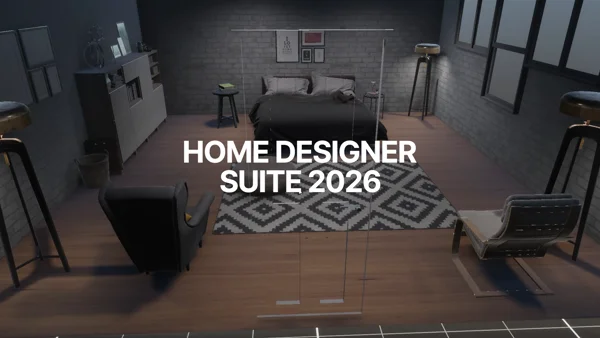
New UI
Completely Redesigned & Fully Animated
The entire UI/UX has been rebuilt from scratch: cleaner layouts, intuitive controls, and smooth animations throughout. Every interaction feels polished, and responsive.
Design, furnish, and light realistic interior spaces directly inside the Unity Editor. From single rooms to full floor plans without ever leaving your workflow.
A complete toolkit built into the Unity Editor, no round-trips to external software, no format conversions.
Completely Redesigned & Fully Animated
The entire UI/UX has been rebuilt from scratch: cleaner layouts, intuitive controls, and smooth animations throughout. Every interaction feels polished, and responsive.
Create Buildings from Code
Programmatically generate entire buildings with a clean, expressive API. Automate house creation, batch-generate variations, and integrate with any pipeline.
Full History Support
Every action is tracked. Step backward and forward through your edit history with confidence, no more lost work.
Android & iOS Ready
Design and preview homes on any device. Fully optimized touch controls and rendering pipeline for Android and iOS platforms.
Divide Spaces Effortlessly
Split any room into multiple areas with a single gesture. Reshape floor plans dynamically while preserving walls, doors, and windows.
Create · Paint · Place · Preview
Design rooms, apply paint, place furniture, customize every detail, and preview the final result, all without leaving the scene.
Every Aspect Covered
A comprehensive documentation site covering installation, API reference, tutorials, and advanced use cases. Get up and running in minutes.
User System & Project Management
A self hosted dedicated website is included with user and project management, to save, organize, and access your projects from anywhere. Open-Source and hosted in your own infrastructure.
Share & Discover Designs
Publish your best projects as public templates. Browse and import community-created layouts to jumpstart your next building in seconds.
Runtime-Ready Exports
Export your designs to JSON for data-driven workflows, or to GLB for real-time 3D rendering, all at runtime, without leaving Play mode.
Easier Module Creation Pipeline
One collider is all it takes. Objects automatically detect and snap to floors, walls, and ceilings, dramatically simplifying the module creation workflow.
Community & Direct Help
Get answers fast with a dedicated support forum. Post questions, share tips, and connect with other developers building with Home Designer Suite.
Developer Resources
Comprehensive documentation covering the HeadlessBuildingAPI, event system, procedural generation, serialization, and online module — everything you need to integrate and extend Home Designer in your project.
Full C# API reference for programmatic building generation and control.
Subscribe to building events and react to state changes in real time.
Save, load, and export floor plans to JSON or GLB formats.
State machine, data flow pipeline, and class hierarchy diagrams.
Unity Asset Store
Home Designer is a one-time purchase. No subscriptions. No seat limits. Use it on every project, forever.
One purchase covers all your projects, now and in the future.
All minor and patch updates included at no extra cost.
Works with both render pipelines out of the box.
Direct email support from the developer team.
Already bought the previous version? Claim your loyalty discount →
Developer FAQ
Answers to common developer questions. For the full API reference, see the documentation.
Yes. HeadlessBuildingAPI creates and manipulates buildings entirely from code with no UI dependencies. Load the Demo_API scene for a working example. Connect the UI later via BuildingUIBridge.Instance.ConnectBuildingToUI(building) if needed.
The system tracks one active building via BuildingController.currentBuilding. You can instantiate multiple BuildingController prefabs, but only one is active at a time for editor operations. Switch the active building with BuildingController.SetCurrentBuilding(building).
The core procedural and serialization systems are WebGL-compatible. GLB export is not available on WebGL due to filesystem restrictions. Test thoroughly — some Application.persistentDataPath operations behave differently in a browser sandbox.
Yes — open the HomeDesignerInputActions asset in the Input Action editor and remap any binding. No code changes required. Camera shortcuts (F, Space, scroll) live in the same asset under the Camera action map.
Add a value to the AppController.States enum, then handle the new state in any subscriber of AppController.OnAppStateChange. The state machine has no hard-coded logic per state — all behaviour is driven by event subscribers.
No. The license system is editor-only (#if UNITY_EDITOR). Builds contain no license enforcement — the DLLs that perform the check are editor assemblies and are stripped at build time.
Yes. Projects are saved as individual JSON files (and optionally GLB files) under Application.persistentDataPath. Call ProjectSerializer.Instance.SaveProject(name) and ProjectSerializer.Instance.LoadProject(name) to manage them.